AI Automation for Small Business in Australia (2026)
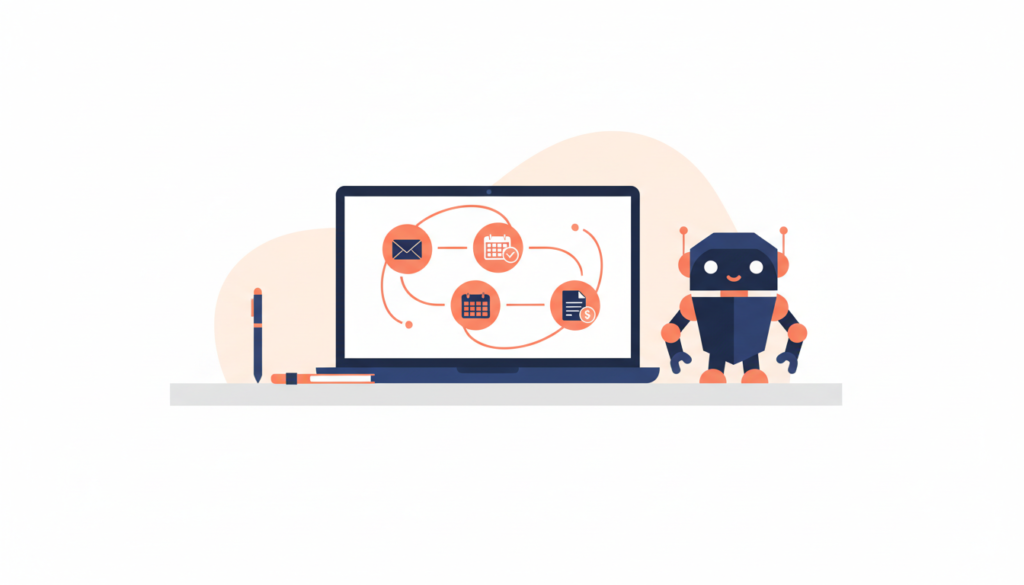
AI automation in Australia lets small businesses hand repetitive work to software. For example, it can handle enquiry replies, bookings, follow-ups, data entry and weekly reports. Typical costs are about A$30–A$300 a month for tools you set up yourself. A specialist usually charges A$1,500–A$6,000 to build a few connected workflows. Custom AI agents typically cost A$10,000–A$40,000+ (typical ranges, excluding GST).
AI automation in Australia works best when you start with one high-volume, low-risk task. However, a company-wide AI project is rarely the right first step.
First, this guide explains what to automate and what it typically costs in Australian dollars. Then it shows how automated AI reports work and how to stay on the right side of the Privacy Act. The prices are typical market ranges, not fixed quotes.
In this guide
- AI Automation in Australia: Costs at a Glance
- How Australian Small Businesses Use AI Today
- Business Automation vs AI Automation: What Is the Difference?
- What Can a Small Business Automate With AI?
- Automated AI Reports for Australian Businesses
- Off-the-Shelf Tools vs Custom AI Automation
- How to Start AI Automation in Australia: A 7-Step Plan
- Privacy and Compliance for Australian Businesses
- Common AI Automation Mistakes to Avoid
- Frequently Asked Questions
AI Automation in Australia: Costs at a Glance
Most small businesses do not need a complex AI strategy. Instead, they need two or three automations that save hours every week. So here is what AI automation for business typically costs in Australia.
| Option | Good fit for | Typical setup cost | Typical ongoing cost |
|---|---|---|---|
| DIY automation tools (Zapier, Make, built-in app automations) | Simple “when this happens, do that” tasks | A$0 (your time) | A$30–A$300 per month |
| Specialist sets up 2–5 connected workflows | Lead capture, booking, follow-ups, invoicing, reports | A$1,500–A$6,000 | A$50–A$400 per month in tools and support |
| AI chatbot or AI receptionist | Answering enquiries and booking 24/7 | A$3,000–A$15,000 | A$100–A$800 per month |
| Custom AI agent integrated with your systems | Multi-step tasks across CRM, inbox, job software | A$10,000–A$40,000+ | A$300–A$1,500+ per month |
If a chat assistant is your main interest, our AI chatbot guide for Australian small businesses breaks those costs down in AUD.
How Australian Small Businesses Use AI Today
AI is no longer just for large companies. For example, the National AI Centre’s SME AI Pulse for December 2025 to February 2026 found that 43% of Australian SMEs reported some level of AI adoption over the quarter. That figure rose to 44% in February 2026.
Among SMEs already using AI, the top uses were content generation and data analytics (54% each), followed by cybersecurity and threat detection (48%).
The gaps are just as useful. For instance, 54% of non-adopters said AI was not relevant to them, and 19% of SMEs said they did not know how to use it. Also, around 65% of non-adopting businesses cited distrust in AI decision-making or a preference for human control.
That last point matters. Therefore, good business AI automation in Australia keeps a person in charge of important decisions, while the AI handles the repetitive steps.
Need help with this? AK Softs Digital builds websites, mobile apps and AI automation for small businesses in the USA, UK, UAE and Australia. Message us on WhatsApp or get a free quote in 24 hours.
Business Automation vs AI Automation: What Is the Difference?
The two terms are often mixed up. The difference decides which tool you need.
- Business automation follows fixed rules. When a form is submitted, add the lead to the CRM and send a welcome email. No AI is needed.
- AI automation adds judgement. It can read an email and work out what the customer wants, summarise a call, pull data from a messy invoice or draft a reply.
- The best setups combine both. Rules handle the predictable steps, and AI handles the parts that need reading or writing.
Workflow tools such as n8n and Zapier can run both. Our n8n vs Zapier comparison explains the costs of each.
What Can a Small Business Automate With AI?
The best candidates are tasks that are repetitive, rule-based and happen many times a week. These areas usually give small businesses in Australia the quickest wins from AI automation.
1. Enquiries and lead capture
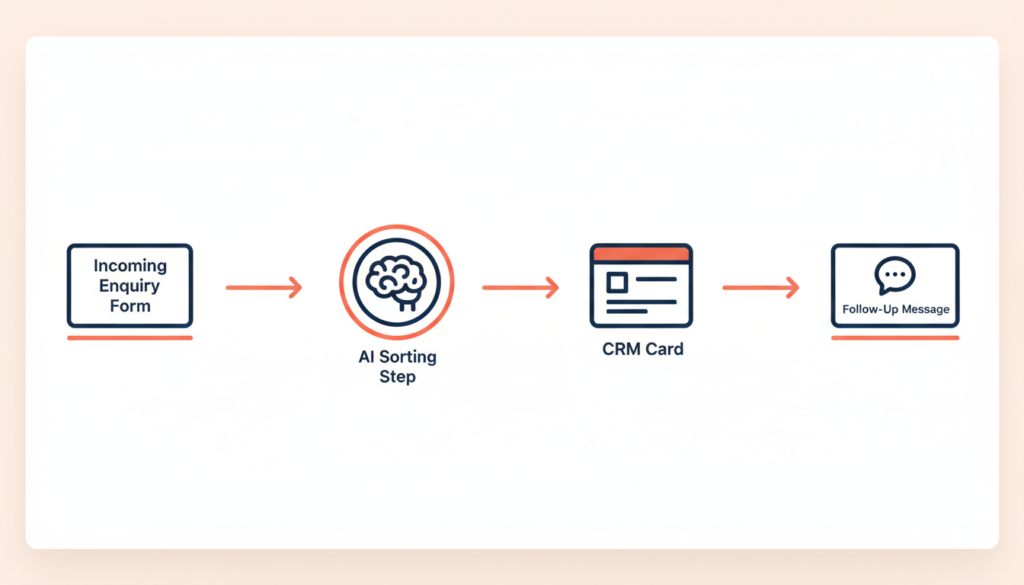
An AI assistant on your website can answer common questions, qualify the enquiry and pass the details into your CRM or inbox. Every lead gets a reply within seconds, even after hours.
2. Bookings and reminders
Online booking connected to your calendar, with automatic confirmations and reminders, removes a lot of phone tag. For businesses that live on the phone, an AI receptionist can answer calls, take messages and book appointments.
3. Email sorting and replies
AI can label incoming emails, draft replies to routine questions and flag urgent messages. A person still reviews and sends anything important.
4. Admin, data entry and documents
Reading invoices, receipts and forms and pushing the data into your accounting or job software is one of the most practical uses. Quotes and job sheets can also be generated from templates.
5. Marketing and customer follow-up
Automated review requests after a job, welcome emails and first drafts of social posts keep your marketing ticking over. Keep a human check on anything that goes out under your brand.
Automated AI Reports for Australian Businesses
Automated AI reports are one of the easiest wins for owners. Instead of exporting spreadsheets every Monday, a workflow collects the numbers and sends you a short summary.
A typical automated report works like this:
- Collect: the workflow pulls data from your accounting, booking, CRM or website analytics tools on a schedule.
- Combine: it puts the numbers into one sheet or database, such as revenue, new leads, jobs booked and overdue invoices.
- Summarise: an AI step writes a plain-English summary and flags anything unusual, such as a drop in enquiries.
- Deliver: the report lands in your inbox or team chat at the same time every week.
For example, a Brisbane plumbing business could get a Monday 7 am email showing last week’s jobs, quotes still waiting, unpaid invoices and where new enquiries came from. Nobody has to build it by hand.
Keep the AI summary as a helper, not the source of truth. Always link back to the real numbers so you can check them.
Off-the-Shelf Tools vs Custom AI Automation
Most businesses should start AI automation with the tools they already pay for. In Australia, that could be Xero, ServiceM8 or your CRM. Many CRMs, booking systems and accounting packages now include built-in automations and AI features.
- Choose off-the-shelf when the task is standard, your tools already connect and you are happy to maintain the setup yourself.
- Bring in a specialist when workflows span several systems, you need reliable error handling, or you do not have time to build and test them.
- Go custom when you need an AI agent that works with your own data, follows your business rules or connects to software without ready-made integrations.
First, map the whole process on paper before choosing a tool. Then check the edge cases, because cancelled bookings or duplicate enquiries decide whether a no-code tool is enough. If you want help, our AI automation services cover workflows, AI receptionists and custom agents.
How to Start AI Automation in Australia: A 7-Step Plan
Use this step-by-step checklist to get your first automation live without wasting money.
- List your repetitive tasks. Write down everything your team does more than ten times a week.
- Estimate the time each one takes. Hours per week multiplied by an hourly cost shows where the savings are.
- Pick one low-risk, high-volume task. Enquiry replies, booking reminders, weekly reports or invoice data entry are good first projects.
- Check your current tools. Your CRM, booking or accounting software may already have the automation you need.
- Decide what stays human. Set clear rules for when the AI hands over to a person, such as complaints or complex quotes.
- Test with real examples for one to two weeks, and check every output before switching it fully on.
- Measure and expand. Track time saved, response times and leads, then automate the next task.
If your website is the starting point for most enquiries, make sure it is built to capture them. Our guide to creating a high-converting business website covers the forms and calls to action that feed good automations.
Privacy and Compliance for Australian Businesses
Any AI automation in Australia that touches customer details needs privacy built in from day one. The Office of the Australian Information Commissioner (OAIC) has published guidance on privacy and the use of commercially available AI products. Key points for small businesses include:
- Check whether AI is actually the right tool for the task before adopting it.
- Do your due diligence on the product: how it handles data, its security and who can access what you enter.
- Update your privacy policy and collection notices to explain how you use AI, and make public-facing tools such as chatbots clearly identifiable.
- Minimise the personal information you put into AI tools. As a best practice, the OAIC recommends not entering personal information, particularly sensitive information, into publicly available generative AI tools.
- Keep a human review step, because AI outputs can be inaccurate.
This is general information, not legal advice. If you handle health, financial or other sensitive information, speak to a privacy professional before you automate.
Common AI Automation Mistakes to Avoid
- Automating a broken process. If the manual process is messy, automation just makes the mess faster. Fix the steps first.
- Starting too big. One working automation beats a half-finished “AI transformation”.
- No human fallback. Customers should always be able to reach a person.
- Ignoring usage costs. Many AI tools charge per task, message or minute. Check what happens to your bill if volume doubles.
- Nobody owns it. Assign someone to check the automations each month, because connected apps change and workflows can quietly break.
Key Takeaways
- AI automation in Australia works best on repetitive, high-volume tasks like enquiries, bookings, email, data entry and weekly reports.
- Typical costs: about A$30–A$300 a month DIY, A$1,500–A$6,000 for a specialist-built set of workflows, and A$10,000–A$40,000+ for custom AI agents (excluding GST).
- 43% of Australian SMEs reported some AI adoption in the NAIC Dec 2025–Feb 2026 pulse; trust is the biggest barrier.
- Automated AI reports save owners hours each week, but always link back to the real numbers.
- Follow the OAIC guidance: minimise personal information, be transparent and keep a human in the loop.
Frequently Asked Questions
How much does AI automation cost for a small business in Australia?
Typical costs range from about A$30–A$300 a month for off-the-shelf tools you set up yourself, to A$1,500–A$6,000 for a specialist to build a few connected workflows, and A$10,000–A$40,000+ for custom AI agents. These are typical ranges excluding GST.
What is the easiest task to automate first?
Enquiry replies, booking confirmations and reminders, weekly reports and invoice data entry are usually the easiest wins. They happen often, follow clear rules and are low risk with a human check in place.
What are automated AI reports?
They are reports that a workflow builds for you on a schedule. It pulls numbers from your business tools, an AI step writes a short summary, and the report arrives by email or team chat.
Will AI automation replace my staff?
For most small businesses, no. It takes over repetitive admin so your team can spend more time with customers and on work that earns money. People still handle complex or sensitive conversations.
Is it safe to use AI tools with customer data?
It can be, if you choose tools with strong security, minimise the personal information you enter and are transparent with customers. The OAIC recommends not putting personal information, especially sensitive information, into publicly available generative AI tools.
How long does it take to set up AI automation?
A simple workflow in an existing tool can be live in a day or two. A set of connected workflows typically takes two to four weeks including testing, and a custom AI agent typically takes one to three months.
Ready to Automate Your First Workflow?
AK Softs Digital builds AI automations, websites and mobile apps for small businesses, with 175+ client reviews and a 4.9 rating. Book a free consultation and we will help you pick the right first task to automate, or explore our AI automation packages.

Anees Dilawar
Founder & CEO of AK Softs Digital. MS Computer Science, 10+ years teaching and building software, and 6+ years delivering WordPress, Flutter and AI automation projects for clients in the USA, UK, UAE and Australia.
AI Automation
Get a clear plan and a fixed quote in one call
Want this automated for your business? We build n8n, MCP and AI receptionist workflows that save hours every week.