
Booking App for Small Business: Costs & Features (2026)
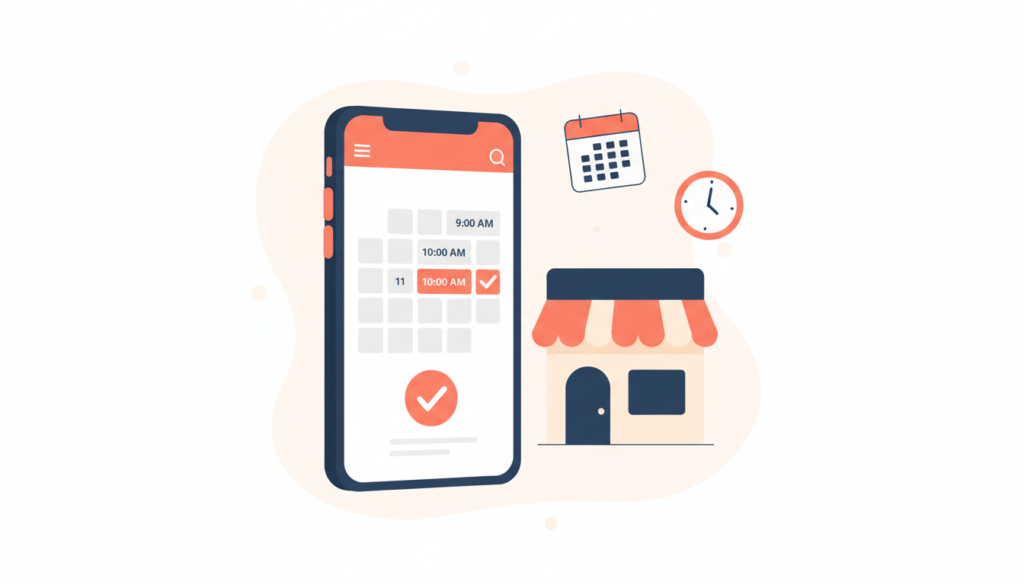
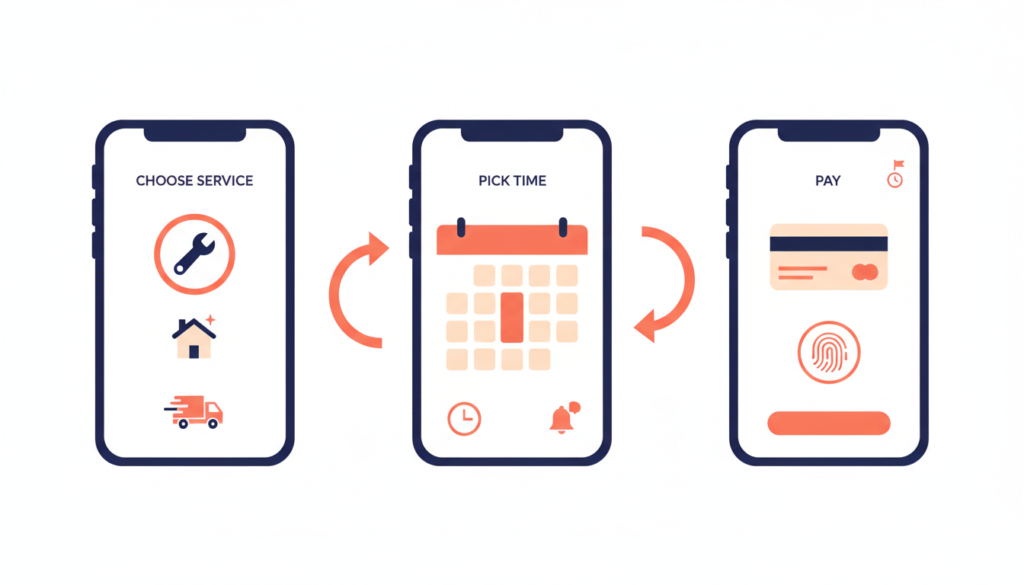
A booking app for small business lets customers pick a service, choose an open time slot, pay or leave a deposit, and get automatic reminders, all from their phone. Most businesses can start with a booking platform for about $0–$150 a month. However, a white-label branded app typically costs $3,000–$10,000. A fully custom booking app for small business usually runs $15,000–$60,000+, depending on features. These are typical market ranges, not fixed quotes.
If you run a salon, clinic, gym, studio, cleaning company or any business that sells time, the way people book you has a direct effect on revenue. Every phone call you miss is a booking that may go to a competitor. So is every “can I come in Thursday?” message that sits unanswered.
This guide explains when an off-the-shelf tool is enough and when a custom booking app for small business makes sense. It also covers which features matter most, what it typically costs in the USA, and a step-by-step plan to launch. Everything here comes from the practical side of building websites, apps and AI automations for small businesses.
In this guide
Why a Booking App for Small Business Pays Off
Your customers already have the device. For example, Pew Research Center’s mobile fact sheet reports that about 91% of USA adults own a smartphone (survey conducted January–June 2026). So a booking app for small business lets them book from that phone, at any hour. That removes the biggest friction point between “I’m interested” and “I’m booked”.
The practical benefits for a small team are just as important:
- Fewer phone interruptions. Staff stop stepping away from customers to answer “do you have anything at 3?”
- After-hours bookings. Customers book when they think of it, often in the evening, not only during your opening hours.
- Fewer no-shows. Automatic reminders and deposits give people a reason to turn up or cancel in time.
- Cleaner data. Every booking lands in one calendar with the customer’s details, history and notes.
- Repeat business. Saved details, “book again” buttons and loyalty offers make the second booking easier than the first.
Three Ways to Get a Booking App
“Booking app” can mean three very different things. Picking the right one first saves the most money.
1. An off-the-shelf booking platform
Scheduling platforms such as Square Appointments, Calendly, Acuity Scheduling or SimplyBook.me give you a booking page, calendar, reminders and payments for a monthly fee. Customers usually book through a web page or the platform’s own app, not one with your name on it.
Best for: new or solo businesses, standard appointment types and anyone who wants to start this week.
2. A white-label or template-based branded app
A developer takes a proven booking app framework and puts your branding, services and staff into it. Then they publish it in the App Store and Google Play under your business name. As a result, you get your own icon on the customer’s home screen without paying for everything to be built from scratch.
Best for: established businesses with loyal, repeat customers who want a branded experience and push notifications.
3. A fully custom booking app
A custom app is designed and built around your exact workflow. For instance, it can handle multiple locations, complex resource rules (rooms, equipment, vehicles), memberships, packages, your own pricing logic or integrations with existing software. You own the product and can keep adding features.
Best for: multi-location businesses, booking marketplaces, and businesses whose process does not fit standard tools.
Need help with this? AK Softs Digital builds websites, mobile apps and AI automation for small businesses in the USA, UK, UAE and Australia. Message us on WhatsApp or get a free quote in 24 hours.
How Much Does a Booking App for Small Business Cost?
Here is how the three options typically compare for a USA small business in 2026.
| Option | Typical upfront cost | Typical ongoing cost | Typical time to launch |
|---|---|---|---|
| Off-the-shelf booking platform | $0 (your setup time) | $0–$150 per month, plus card fees | 1–3 days |
| White-label branded app | $3,000–$10,000 | $100–$500 per month (license, hosting, updates) | 3–8 weeks |
| Custom booking app (iOS + Android) | $15,000–$60,000+ | 15–20% of build cost per year for maintenance | 3–6 months |
| Custom booking marketplace (many businesses, two-sided) | $60,000–$150,000+ | Ongoing development team | 6–12 months |
A few fixed costs apply to any app you publish under your own name. The Apple Developer Program costs $99 per year. A Google Play developer account has a one-time US$25 registration fee. Card processing is also extra. For example, Stripe’s standard USA rate is 2.9% + 30¢ per successful domestic card transaction.
For a deeper breakdown of what drives app budgets up or down, see our guide to the cost to build an app for a small business.
What pushes the price up
- Multiple locations, staff schedules and resource rules (rooms, chairs, vehicles)
- Packages, memberships, gift cards and loyalty points
- Two-way sync with Google Calendar, Outlook or existing practice software
- Custom admin dashboard and reporting
- Separate staff app in addition to the customer app
- AI features such as a chat assistant that books appointments
Must-Have Booking App Features
Whatever route you choose, check that it covers these essentials before you pay for anything extra.
For your customers
- Real-time availability so people only see slots that are actually free.
- Service and staff selection with clear durations and prices.
- Booking in three taps or fewer once a returning customer is logged in.
- Easy rescheduling and cancellation within your policy window.
- Reminders by push notification, text or email.
- Secure payments or deposits with Apple Pay, Google Pay or card.
For you and your team
- One shared calendar with staff schedules, breaks and time off.
- Buffer times between appointments for cleaning or travel.
- Customer profiles with history, notes and preferences.
- Cancellation and no-show rules applied automatically.
- Simple reports on bookings, revenue and busiest times.
- Integrations with your website, calendar and accounting tools.
A practical tip from building booking flows: design the reschedule screen as carefully as the booking screen. If moving an appointment is hard, people simply do not show up instead.
If many of your bookings still come in by phone, an AI receptionist can answer calls and book into the same calendar, so phone and app customers share one schedule.
Payments, Deposits and App Store Rules
A common question is whether Apple takes a cut of every booking. For in-person services, generally not. Apple’s App Review Guidelines (section 3.1.3(e)) cover apps that sell physical goods or services consumed outside the app. In that case, you must use purchase methods other than in-app purchase, such as Apple Pay or traditional credit card entry.
That means a haircut, massage, class or cleaning visit booked in your app is usually paid through a regular payment processor, not Apple’s in-app purchase system. Digital-only content, such as on-demand video classes, follows different rules, so check with your developer early.
Apple’s guidelines also note that an app should include features, content and UI that elevate it beyond a repackaged website. A thin “website in an app wrapper” may be rejected. If a native app is more than you need right now, compare the options in our PWA vs native app guide.
How to Launch Your Booking App: 8 Steps
Use this step-by-step checklist whether you are setting up a platform or commissioning a custom build.
- Map how bookings work today. Write down services, durations, staff, buffers, deposits and your cancellation policy.
- Count your volume. How many bookings a week, and how many come by phone, walk-in or website? This shows the size of the opportunity.
- Try an off-the-shelf tool first. Run it for a month. If it covers 90% of what you need, you may not need a custom app yet.
- List the gaps. Note exactly what the tool cannot do. These gaps become the scope of a branded or custom app.
- Define a lean first version (MVP). Booking, payments, reminders and an admin calendar. Leave loyalty and extras for version two.
- Get two or three quotes based on the same written scope, and ask who owns the code and data.
- Test with real customers for two weeks before the public launch, and watch where people get stuck.
- Promote it everywhere. Add booking buttons to your website, Google Business Profile, social profiles and receipts.
Your website is often where people first decide to book. So make sure it loads fast and shows a clear “Book now” button on every page. Our guide to creating a high-converting business website covers the layout and calls to action that help a booking app for small business get used.
Common Mistakes to Avoid
- Building custom too early. Prove that customers will book online with a platform before investing tens of thousands of dollars.
- Forcing account sign-up before booking. Let first-time customers book as a guest and offer an account afterwards.
- Two calendars that do not sync. Double bookings destroy trust quickly. Keep one source of truth.
- No deposit or cancellation policy. Make the rules clear at checkout and in reminders.
- Ignoring maintenance. Phones and operating systems update every year; budget for app updates and support.
- Not owning your data. Make sure you can export customer and booking data if you change provider.
Key Takeaways
- A booking app for small business lets customers book, pay and get reminders from their phone, 24/7.
- Typical USA costs: $0–$150 a month for a platform, $3,000–$10,000 for a white-label branded app, and $15,000–$60,000+ for a fully custom app.
- Start with an off-the-shelf tool, then go branded or custom only for the gaps it cannot cover.
- For in-person services, Apple’s guidelines require payment methods other than in-app purchase, such as Apple Pay or card entry.
- Plan for reminders, easy rescheduling, one shared calendar and yearly maintenance.
Frequently Asked Questions
How much does it cost to build a booking app for a small business?
Typical USA ranges are $0–$150 a month for an off-the-shelf booking platform, $3,000–$10,000 for a white-label branded app, and $15,000–$60,000+ for a fully custom iOS and Android booking app. Ongoing hosting, maintenance and payment processing fees are extra.
Do I need my own app, or is a booking website enough?
Many businesses start with a booking page on their website, and that is often enough. Your own app makes more sense when you have lots of repeat customers, want push notifications and loyalty features, or have a workflow that standard tools cannot handle.
How long does it take to build a custom booking app?
A lean custom booking app for iOS and Android typically takes three to six months from planning to launch. A white-label app can often be live in three to eight weeks, and an off-the-shelf platform can be set up in a few days.
Does Apple take a commission on bookings made in my app?
For physical goods or services used outside the app, such as an in-person appointment, Apple’s App Review Guidelines say you must use payment methods other than in-app purchase, like Apple Pay or card entry. You still pay your card processor’s fees. Digital content sold in the app follows different rules.
What features should a booking app have?
At minimum: real-time availability, service and staff selection, secure payments or deposits, automatic reminders, easy rescheduling and cancellation, a shared staff calendar and customer profiles. Add loyalty, memberships and AI booking assistants once the basics work well.
Planning a Booking App for Your Business?
AK Softs Digital builds mobile apps, websites and AI automations for small businesses, with 175+ client reviews, a 4.9 rating and experience working with teams in the UAE and France. Book a free consultation about your booking app for small business. We will help you choose between a platform, a branded app or a custom build, and give you a clear estimate.

Anees Dilawar
Founder & CEO of AK Softs Digital. MS Computer Science, 10+ years teaching and building software, and 6+ years delivering WordPress, Flutter and AI automation projects for clients in the USA, UK, UAE and Australia.
App Development
Get a clear plan and a fixed quote in one call
Planning an app? We design and build Flutter apps for iOS and Android, from MVP to launch.