10 Features Every Modern Business Website Must Have (2026)
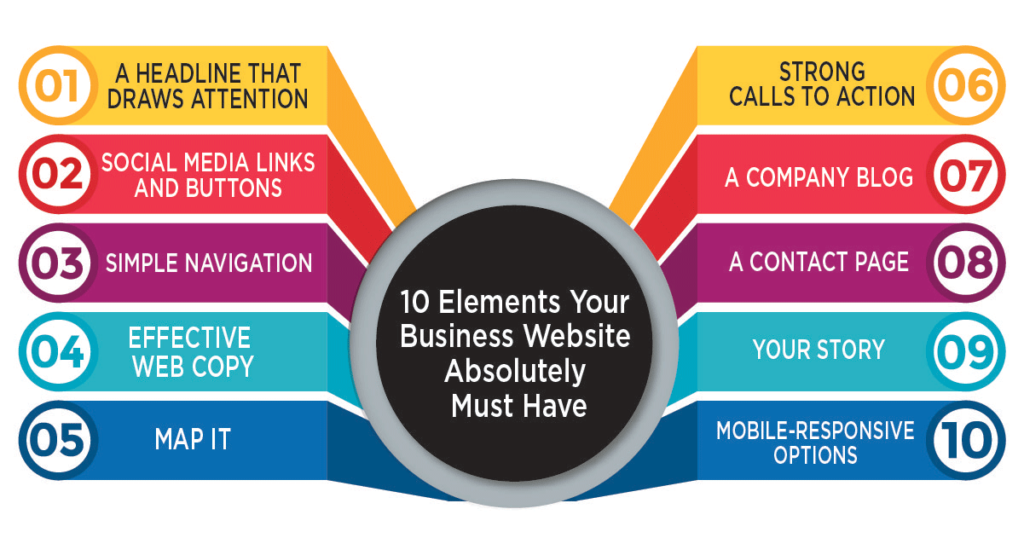
The most important modern business website features in 2026 are fast mobile-first design, a clear message, easy contact and real trust signals. Next come booking, SEO basics, accessibility, security and simple content updates. Extras like AI chat come after these are in place.
Your website is often the first place a customer checks you out. If it is slow, confusing or hard to use on a phone, they move on to a competitor.
This guide covers the 10 modern business website features that matter most. You will also get a launch checklist, a must-have vs nice-to-have table and the mistakes to avoid.
In this guide
What Makes a Business Website Modern in 2026?
A modern site is not about trendy animations. It is about helping a visitor do one thing quickly: call, book, buy or ask a question.
Phones are the main screen now. According to the Pew Research Center, 91% of USA adults own a smartphone. So every modern business website feature below should work well on a small screen first.
A modern site also has to be fast, secure, accessible and easy for your team to update. Those basics affect both your leads and your search rankings.
10 Modern Business Website Features You Need
These modern business website features are listed in order of impact for most small and mid-size businesses.
1. Mobile-first, fast-loading design
Design for the phone first, then scale up to desktop. Buttons should be easy to tap, and text should be readable without zooming.
Speed matters just as much. Google’s web.dev guidance sets a “good” Largest Contentful Paint at 2.5 seconds or less. If your site runs on WordPress, our guide on how to speed up a WordPress website walks through the fixes.
2. A clear value proposition above the fold
Visitors should know what you do, who you help and where you work within a few seconds. Put a plain headline, one short supporting line and one main button at the top of the home page.
3. Easy contact options and strong calls to action
Make it effortless to reach you. Add a click-to-call phone number, a short contact form and your service area on every page.
Use one clear call to action per page, such as “Get a Quote” or “Book a Call.” Too many competing buttons make people hesitate.
4. Online booking or quote requests
Many customers prefer to book without a phone call. An online booking tool or a smart quote form captures leads after hours. For service businesses, a booking app for small business can link straight to your calendar.
5. Trust signals that are real
People buy from businesses they trust. Show genuine reviews, licenses, certifications, warranties and clear policies. Add real photos of your team and work where you can.
Never use fake testimonials or stock “client” quotes. They damage trust fast and can create legal risk.
6. SEO foundations built in
A modern site is built so search engines can understand it. That means one clear H1 per page, logical headings, descriptive page titles and meta descriptions, and clean URLs.
Local businesses should also show their name, address and phone number consistently. Add schema markup and link the site to your Google Business Profile.
7. Accessibility for every visitor
An accessible site works for people who use screen readers, keyboards or zoom. The USA Department of Justice’s ADA web guidance covers businesses open to the public. It lists basics like alt text on images, enough color contrast and captions on videos.
8. Security and HTTPS
Every page should load over HTTPS with a valid SSL certificate. Keep the CMS, theme and plugins updated, use strong logins and keep off-site backups.
Security is also an SEO issue. A hacked site can show warnings in search results and lose traffic quickly.
9. Easy content management
Your team should be able to update prices, hours, services and blog posts without a developer. A content management system like WordPress makes this simple. Fresh, accurate content also helps visitors trust what they read.
10. Analytics and smart automation
Connect Google Analytics and Search Console so you can see where visitors come from and which pages convert. Track form submissions and calls as goals.
Then add automation where it saves time. An AI chatbot can answer common questions and capture leads around the clock. Our guide to AI chatbot cost for small business explains the budget.

Need help with this? AK Softs Digital builds websites, mobile apps and AI automation for small businesses in the USA, UK, UAE and Australia. Message us on WhatsApp or get a free quote in 24 hours.
Modern Business Website Features: Must-Have vs Nice-to-Have
Not every feature needs to be in version one. Use this table to plan your first launch and your next upgrades.
| Feature | Priority | Why it matters |
|---|---|---|
| Mobile-first, fast design | Must-have | Most visits start on a phone |
| Clear headline and main CTA | Must-have | Visitors decide in seconds |
| Click-to-call and contact form | Must-have | Turns visits into leads |
| HTTPS, backups and updates | Must-have | Protects trust and rankings |
| SEO basics and accessibility | Must-have | Helps people and search engines |
| Online booking or quote tool | Strongly recommended | Captures leads after hours |
| Blog or resource section | Recommended | Builds search traffic over time |
| AI chatbot or AI receptionist | Nice-to-have | Answers questions instantly |
| Customer portal or member area | Nice-to-have | Useful for repeat clients |
Website Feature Checklist Before You Launch
Run through this checklist to confirm your modern business website features work before a new site or redesign goes live.
- Test every page on a real phone, including forms and menus.
- Check speed in PageSpeed Insights for your home page and top service page.
- Confirm your contact details match your Google Business Profile.
- Submit a test form and test booking to make sure messages arrive.
- Add alt text to every meaningful image.
- Check HTTPS on all pages and fix any mixed-content warnings.
- Set page titles and meta descriptions for each key page.
- Connect analytics and Search Console and submit your sitemap.
Common Website Feature Mistakes to Avoid
More is not always better. These mistakes make modern business website features work against you.
- Feature overload. Sliders, pop-ups and widgets slow the site and distract visitors.
- Hiding the phone number. Many customers still want to call, so keep it visible.
- Desktop-only design reviews. Always approve designs on a phone first.
- No plan for updates. Outdated prices or hours cost leads and trust.
- Skipping accessibility. It shuts out real customers and adds legal risk.
How Much Do These Features Cost?
Cost depends on how many modern business website features you need and how custom they are. A simple brochure site with the must-haves costs far less than a site with booking, portals and integrations.
For typical price ranges, read our guide to small business website cost. It breaks down design, development and yearly running costs.
Key Takeaways
- The core modern business website features are speed, mobile-first design, a clear message and easy contact.
- Real trust signals, SEO basics, accessibility and security are must-haves, not extras.
- Online booking and quote tools capture leads when you are closed.
- Add AI chat and portals after the basics work well.
- Test on a real phone and run the launch checklist before going live.
Frequently Asked Questions
What features should a small business website have?
At minimum: a mobile-friendly and fast design, a clear headline, contact details on every page, a short form, HTTPS, basic SEO and accessible content. Booking or quote tools are a strong next step.
How often should a business website be updated?
Update key details like prices, hours and services as soon as they change. Review the whole site at least once a year, and plan a redesign when it no longer meets your goals.
Does my business website need a blog?
Not always, but it helps. A blog lets you answer customer questions and rank for more searches. Even one useful article a month can build traffic over time.
Is an AI chatbot worth adding to a business website?
It can be if you get many repeat questions or after-hours inquiries. Start with the core features first, then add a chatbot with a clear human handoff.
Do website accessibility rules apply to small businesses?
In the USA, the Department of Justice says the ADA applies to businesses open to the public, including their websites. Rules differ by country, so check local guidance or ask a legal advisor.
Build a Modern Business Website That Brings Leads
AK Softs Digital designs and redesigns fast, mobile-first business websites with booking, SEO basics and AI automation built in. Book a free consultation to see which features your site needs first.

Anees Dilawar
Founder & CEO of AK Softs Digital. MS Computer Science, 10+ years teaching and building software, and 6+ years delivering WordPress, Flutter and AI automation projects for clients in the USA, UK, UAE and Australia.
Web Development
Get a clear plan and a fixed quote in one call
Need a fast, high-converting website? We build and fix WordPress, WooCommerce and custom Node.js sites.
Keep reading



Related guides
- How to Create a High-Converting Business Website (2026 Guide)
- How to Start a WordPress Website Step by Step (2026 Guide)
- Website Builder vs Custom Website: 2026 USA Guide for Small Businesses
- WordPress vs Custom Website: Which Is Better for Your Business? (2026)
Need it done for you? See our Website development services.