
The typical cost to build an app for a small business in the US is $3,000 to $15,000 for a simple app or a website turned into an app, $15,000 to $50,000 for a custom MVP with logins and a backend, and $50,000 to $150,000+ for a feature-rich app with payments, bookings and integrations. On top of that, plan for app store fees and yearly maintenance. What you pay depends mostly on features, platforms and how much the app has to connect to.
We design and build mobile apps for small businesses, and almost every project starts with the same question: “Do I really need a $100,000 app, or can I start smaller?” Most of the time you can start smaller. This guide shows the typical price ranges, what drives them, the costs people forget and a step-by-step way to plan your budget before you request quotes.
In this guide
- What Affects the Cost to Build an App for a Small Business?
- Typical App Development Price Ranges in 2026
- Native vs Cross-Platform vs No-Code
- Hidden Costs Most Business Owners Miss
- Do You Need an App, or a Better Website?
- How to Budget for Your App: A 7-Step Plan
- Ways to Lower Your App Development Cost
- Questions to Ask Before You Hire an App Developer
- Frequently Asked Questions
What Affects the Cost to Build an App for a Small Business?
Two apps that look similar in a demo can be priced very differently. In our projects, the budget is shaped by six things:
- Number of features and screens. A five-screen loyalty app is a different job from an app with bookings, chat, payments and an admin dashboard.
- Platforms. iPhone only, Android only, or both. Building both natively roughly doubles part of the work; a cross-platform framework lets one codebase serve both.
- Backend and admin panel. If staff need to manage bookings, products or users, you need a server, a database and a dashboard, which is often a third of the budget.
- Integrations. Connecting to your POS, CRM, calendar, payment provider or shipping software takes time to build and test.
- Design quality. A clean template-based UI costs less than custom branding, illustrations and animations.
- Who builds it. Rates vary widely between a freelancer, a small agency and a large US firm, so the same scope can be quoted very differently.
Typical App Development Price Ranges in 2026
The table below shows typical ranges for US small and medium businesses. They are not fixed quotes. Your final number depends on scope, platforms, integrations and the team you hire.
| App type | Good fit for | Typical build cost | Typical timeline |
|---|---|---|---|
| No-code / app builder (DIY) | Simple info app, menu, basic loyalty | $0–$3,000 + monthly plan | Days to 2 weeks |
| Website turned into an app | Businesses with a good mobile site that want an app store presence and push notifications | $3,000–$15,000 | 2–6 weeks |
| Custom MVP (cross-platform) | First version of a booking, ordering or membership app with logins and a backend | $15,000–$50,000 | 2–4 months |
| Feature-rich custom app | Payments, real-time updates, admin panel, several integrations | $50,000–$150,000+ | 4–9 months |
In our experience, most local service businesses, such as salons, clinics, gyms and restaurants, fit in the second or third row. They need customers to book, order or reorder quickly, not a social network.
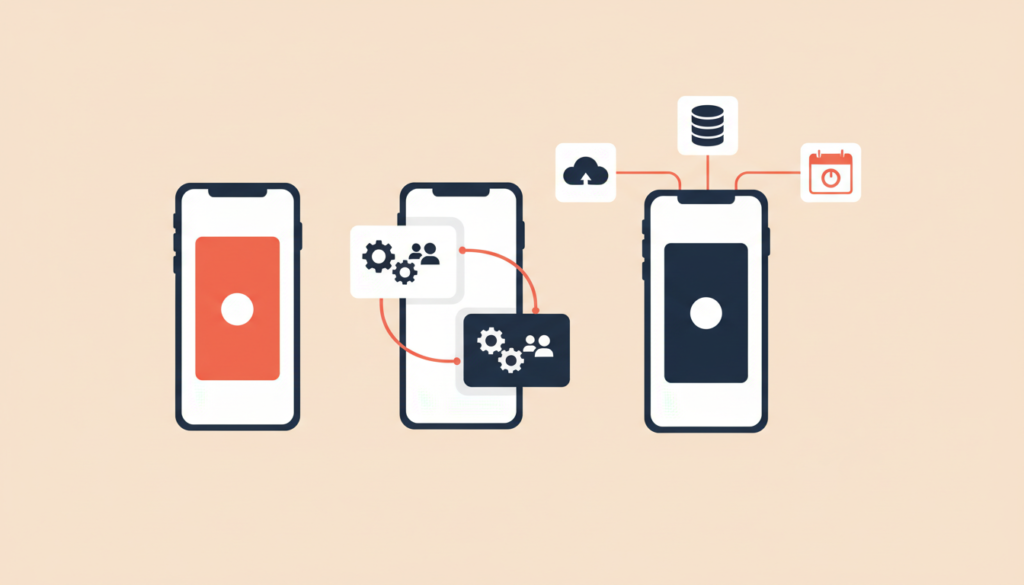
Native vs Cross-Platform vs No-Code
The way the app is built has a big effect on price. Here is how the three main routes compare for a small business.
Native apps (Swift for iOS, Kotlin for Android)
Native apps give the best performance and full access to device features. The trade-off is two separate codebases, which means higher build and maintenance costs. They make sense for apps with heavy graphics, complex offline features or deep hardware use.
Cross-platform apps (Flutter, React Native)
One codebase runs on both iPhone and Android. For most small business apps, such as bookings, ordering, memberships and loyalty programs, this is the sweet spot between cost and quality. It is the route we recommend most often.
No-code builders and website-to-app
App builders and tools that wrap your existing mobile website are the fastest and cheapest way to get into the app stores. They work well if your website is already fast and fully responsive. The limits show up when you need custom logic, offline use or unusual integrations, and monthly platform fees add up over time.
Hidden Costs Most Business Owners Miss
The build quote is only part of the bill. These are the costs that surprise owners after launch:
- App store accounts. Apple charges a $99 annual membership for the Apple Developer Program, and Google Play has a US$25 one-time registration fee.
- Hosting and backend services. Servers, databases, file storage and push notification services usually cost from a few dollars to a few hundred dollars a month, depending on users.
- Maintenance and updates. New iOS and Android versions arrive every year, and apps need updates to keep working. A common rule of thumb is to budget around 15–20% of the build cost per year.
- Third-party tools. Maps, SMS, email, analytics and payment processing each have their own pricing.
- Store commissions. If you sell digital goods or subscriptions inside the app, Apple and Google take a commission. Physical goods and in-person services are usually handled through normal payment processors instead.
- Marketing. An app nobody downloads does nothing. Plan a budget to promote it to existing customers.
Do You Need an App, or a Better Website?
Before you spend $30,000, ask an honest question: will customers use this app more than once a month? According to Pew Research Center, 91% of US adults own a smartphone, so your customers are already on mobile. But many of them will happily use a fast mobile website instead of downloading another app.
An app usually pays off when customers come back often: repeat bookings, reorders, loyalty rewards, memberships or a service they track. If most visitors only need your hours, prices and a contact form, a high-quality website will do more for less. Our guide to features every modern business website must have is a good place to start.
How to Budget for Your App: A 7-Step Plan
Use these steps before you contact any developer. They will make quotes easier to compare and help you avoid paying for features you do not need.
- Write down one main goal. For example: “Let regular customers book and pay in under a minute.”
- List must-have features only. Keep the first version to the features that serve that goal. Move everything else to a “later” list.
- Choose platforms. Check your website analytics to see how many visitors use iPhone versus Android. Cross-platform covers both from one budget.
- List the systems it must connect to. Calendar, POS, CRM, payment provider, shipping or inventory software.
- Decide who manages content. If staff will update menus, services or prices, you need an admin panel.
- Add running costs for 12 months. Store fees, hosting, third-party tools and maintenance.
- Plan a launch and feedback period. Budget a small amount for fixes and improvements in the first 60–90 days after real customers start using it.
Ways to Lower Your App Development Cost
A smaller budget does not have to mean a weaker app. These are the choices that save the most money in our experience:
- Start with an MVP. Launch the core feature first, learn what customers use, then add more. This is the single biggest saving.
- Use cross-platform development instead of two native apps when your app does not need heavy device features.
- Reuse what you already have. If your website runs on WordPress or Shopify, the app can often use the same content and products. We explain the trade-offs between platforms in WordPress vs custom website.
- Use proven services for login, payments and notifications instead of building them from scratch.
- Add automation where it saves staff time. An AI assistant can answer common questions inside the app. Our AI chatbot cost guide shows what that adds to the budget.
Questions to Ask Before You Hire an App Developer
- Is the quote fixed price or hourly, and what exactly is included?
- Will I own the source code, the app store accounts and the design files?
- Which framework will you use, and why is it right for my app?
- What does maintenance cost after launch, and what response time do you offer?
- Can I see apps you have built that are live in the stores?
- How will we test the app before it goes public?
Key Takeaways
- Typical cost to build an app for a small business: $3,000–$15,000 for a simple app, $15,000–$50,000 for a custom MVP, $50,000–$150,000+ for a feature-rich app.
- Features, platforms, the backend and integrations drive most of the price.
- Budget for store fees ($99/year Apple, $25 one-time Google), hosting and around 15–20% of the build cost per year for maintenance.
- Cross-platform development and an MVP-first approach save the most money.
- If customers will not use the app regularly, invest in a better mobile website first.
Frequently Asked Questions
How much does a simple app cost for a small business?
A simple app with a few screens, or an existing mobile website turned into an app, typically costs $3,000–$15,000. No-code builders can be cheaper to start but usually come with ongoing monthly fees.
How long does it take to build a small business app?
Typical timelines are 2–6 weeks for a simple app, 2–4 months for a custom MVP and 4–9 months for a feature-rich app, including design, testing and app store review.
Is it cheaper to build for iPhone or Android first?
The build cost is usually similar. Many businesses either start with the platform most of their customers use or cover both at once with a cross-platform framework. Check your website analytics to see which devices your customers use.
What are the monthly costs of running an app?
Expect hosting and backend services, third-party tools and maintenance. For a small business app this is often from under a hundred to a few hundred dollars a month, plus yearly updates.
Can I turn my existing website into an app?
Yes. If your website is fast and mobile-friendly, it can often be turned into an app with push notifications and app store listings, which is one of the lowest-cost ways to get an app.
Get a Clear Quote for Your Business App
Not sure whether you need a simple app, a custom MVP or just a better website? AK Softs Digital designs mobile apps, websites and AI automations for small businesses, with 150+ Fiverr reviews, a 4.9 rating and experience working with teams in the UAE and France. Contact us for a free consultation and we will help you scope the right first version and a realistic budget.