AI Receptionist for Small Business: Costs & Setup (2026)
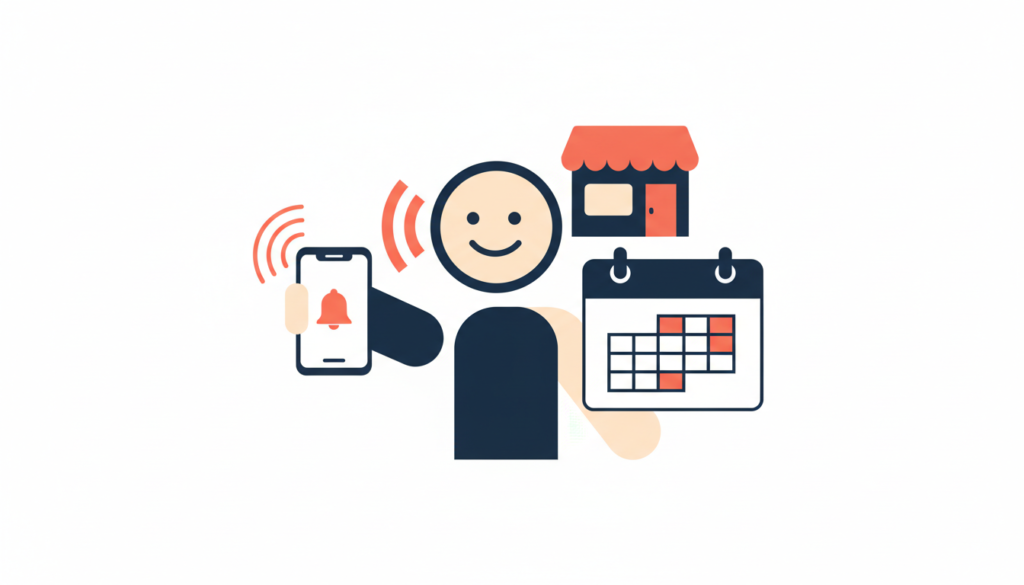
An AI receptionist for small business is a voice and chat assistant that answers your calls 24/7. It replies to common questions, books appointments into your calendar and passes urgent callers to your team. For USA small businesses, an off-the-shelf AI receptionist typically costs $30 to $300 per month. However, a custom AI booking receptionist connected to your own tools typically costs $2,000 to $15,000 to set up. It is worth it when missed calls are costing you jobs, bookings or patients.
We build AI booking receptionists, chatbots and automations for service businesses. So we hear the same first worry every time: “Will it sound like a robot and annoy my customers?” A well-built one does not. A badly set up one does. Therefore, this guide shows what an AI receptionist for small business can really do and what it typically costs. It also explains how to set one up so it books more appointments instead of frustrating callers.
In this guide
- What Is an AI Receptionist for Small Business?
- What an AI Receptionist Can (and Can’t) Do
- AI Receptionist Cost: Typical 2026 Price Ranges
- AI Receptionist vs Human Receptionist vs Answering Service
- 8 Features to Look For Before You Buy
- How to Set Up an AI Receptionist: 7-Step Checklist
- Rules to Know: Consent, Recording and Health Data
- Tips From Building AI Booking Receptionists
- Frequently Asked Questions
What Is an AI Receptionist for Small Business?
An AI receptionist is software that picks up your business phone line and talks to customers in natural language. Often it also covers your website chat, SMS or WhatsApp. Under the hood, it uses a large language model trained on your business details and a voice engine that speaks and listens. In addition, it connects to the tools you already use, such as your calendar, booking software or CRM.
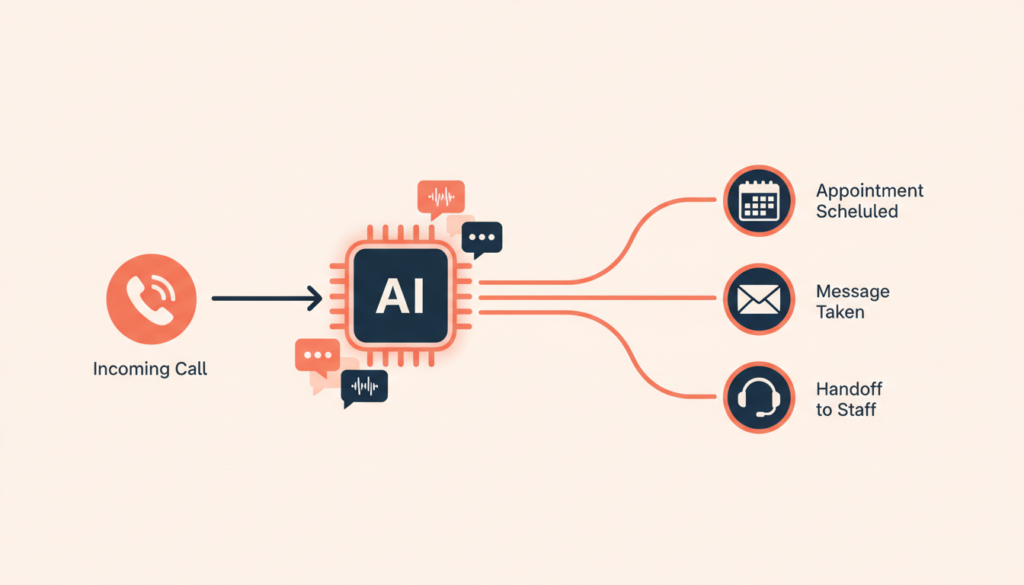
Unlike an old phone menu (“press 1 for sales”), callers just say what they need. For example: “Can I get a cleaning next Tuesday afternoon?” Then the AI checks open slots, offers a time, confirms the booking and sends a text confirmation. If the caller has an emergency or a complex question, however, it transfers the call or takes a detailed message for your team.
The businesses that get the most value are appointment-driven. For instance, dental and medical offices, med spas, salons and barbers, law firms and auto shops. Home services such as HVAC, plumbing, roofing and cleaning benefit too, as do gyms and real estate teams. In short, if your phone rings while your hands are busy, this is built for you. If you run a cleaning service, see our AI receptionist for cleaning companies.
For a med spa example with provider escalation, deposits and HIPAA checks, see our guide to an AI receptionist for med spas.
What an AI Receptionist Can (and Can’t) Do
What it handles well
- After-hours and overflow calls, so no caller hits voicemail when you are closed or with a customer.
- Booking, rescheduling and cancellations directly in your calendar or booking system.
- Repeat questions about hours, prices, services, location, parking, insurance or policies.
- Lead capture: name, phone, email, service needed and urgency, sent to your CRM or inbox.
- Call summaries and transcripts, so you see what every caller wanted without listening to recordings.
- Multiple languages, which helps businesses with Spanish-speaking or international customers.
Where it still needs a human
- Upset customers, complaints and sensitive conversations.
- Medical, legal or financial advice. The AI should never give it.
- Unusual requests your rules do not cover, such as custom quotes for complex jobs.
- Anything where a wrong answer would be expensive. In these cases, the AI should take a message and hand off.
Need help with this? AK Softs Digital builds websites, mobile apps and AI automation for small businesses in the USA, UK, UAE and Australia. Message us on WhatsApp or get a free quote in 24 hours.
AI Receptionist Cost: Typical 2026 Price Ranges
Pricing usually follows one of three models. First, a flat monthly plan. Second, a plan with a set number of calls or minutes plus overage fees. Third, a custom build with a one-time setup fee and monthly running costs for the phone line, AI usage per minute and maintenance. The table below shows typical ranges for an AI receptionist for small business in the USA, not fixed quotes.
| Option | Best for | Typical setup cost | Typical monthly cost |
|---|---|---|---|
| Off-the-shelf AI receptionist (DIY) | Answering FAQs, taking messages, simple booking links | $0 (your own time) | $30–$300 |
| Off-the-shelf, professionally configured | Trained on your services, connected to your calendar, tested scripts | $500–$2,000 | $50–$300 |
| Custom AI booking receptionist | Voice + chat, books into your real system, CRM updates, smart handoff | $2,000–$15,000 | $100–$800 (phone line + AI usage) |
| Hybrid AI + live human backup | Businesses that want a person on complex calls | $0–$500 | $250–$1,000+ |
Also watch for the costs hidden behind the headline price. For example, per-minute or per-call overages in busy months, extra fees for calendar or CRM integrations, and a separate phone number or phone plan. SMS charges for confirmations and reminders add up too. If you also want a chat assistant on your website, our AI chatbot cost guide breaks down that side of the budget.
Is it worth it? Do the missed-call math
- Check your phone logs for one month and count missed and after-hours calls.
- Estimate how many of those were new customers (not spam or existing clients).
- Multiply a realistic share of them by your average job, visit or client value.
- Compare that number with a year of AI receptionist costs.
For many appointment businesses, one or two extra bookings a month cover a mid-range plan. If you rarely miss calls, a simpler voicemail-to-text setup may be enough.
AI Receptionist vs Human Receptionist vs Answering Service
You do not have to pick only one. Many businesses keep their front desk and use AI for after-hours and overflow calls. Here is how the options compare:
- In-house receptionist: the best personal touch and judgment, but limited to business hours, one call at a time, and a full salary plus benefits.
- Live answering service: real people answer, but they usually follow a generic script, often cannot book directly into your system and are typically billed per call or per minute.
- AI receptionist: answers every call instantly, around the clock, several at once, and books directly into your calendar. It needs good setup and clear handoff rules to handle edge cases well.
8 Features to Look For Before You Buy
- A natural voice with low delay. Call the demo line yourself. Long pauses are what make callers hang up.
- Real calendar booking, not just texting a booking link. It should check live availability and respect buffers between appointments.
- Custom knowledge trained on your services, prices, service areas and policies, which you can update yourself.
- Smart human handoff with warm transfer and a summary, plus clear rules for emergencies.
- Integrations with your CRM, booking software or practice management system.
- Omnichannel support: the same assistant on phone, website chat, SMS and WhatsApp.
- Transcripts, summaries and reporting on calls answered, bookings made and calls transferred.
- Clear pricing and data terms: what counts as a call or minute, overage fees, who owns the data and whether recordings are stored.
How to Set Up an AI Receptionist: 7-Step Checklist
This is the order we follow when we set up an AI booking receptionist. It keeps the launch smooth and avoids the “robot” experience.
- List your top 30 call reasons. Ask your front desk what they hear every day and write the ideal answer to each.
- Define booking rules. Service types, durations, staff, buffers, deposits, new versus returning customers and how far ahead people can book.
- Write handoff and emergency rules. Decide exactly when the AI transfers, who it transfers to and what happens if nobody picks up.
- Connect your tools. Calendar or booking software first, then CRM, SMS confirmations and email notifications.
- Choose how calls reach the AI. After-hours only, overflow after a set number of rings, or every call. Most businesses start with after-hours and overflow.
- Test with 30 to 50 real scenarios, including accents, background noise, interruptions and tricky questions, before it goes live.
- Review transcripts weekly for the first month, fix weak answers and add missing questions. After that, a monthly review is usually enough.
One more tip: your AI receptionist is only as good as the information behind it. If your website’s services and prices are out of date, fix those first. Our website redesign checklist helps you clean that up, and a site built to convert visitors into customers works hand in hand with an assistant that answers every call.
Rules to Know: Consent, Recording and Health Data
An AI receptionist that answers inbound calls is different from AI robocalls, but a few rules still matter. This is general information, not legal advice, so check with your attorney for your state and industry.
- Outbound AI calls need consent. In 2024 the FCC ruled that AI-generated voices count as “artificial” voices under the TCPA, so the consent rules for robocalls apply. Be careful before using AI for reminder or follow-up calls.
- Call recording disclosure. Some states require every party’s consent to record a call. A short greeting such as “This call may be recorded” is a sensible default.
- Health information. Dental, medical and therapy practices that let a vendor handle patient information generally need a signed business associate agreement under HIPAA. See the HHS guidance on business associate agreements.
- Be honest that it is AI. Letting callers know they are speaking with a virtual assistant builds trust and avoids complaints.
Tips From Building AI Booking Receptionists
- Keep the greeting short. A two-sentence greeting that asks how it can help beats a long introduction.
- Confirm details out loud. Have the AI repeat the date, time and phone number before it books. This simple step catches most booking mistakes before they happen.
- Send a text confirmation every time, with a link to reschedule. Callers trust a booking they can see.
- Give it a fallback. If an integration is down, the AI should take a message instead of pretending to book.
- Start narrow, then expand. Launch with booking and FAQs, prove the results, then add payments, reminders or a custom booking app later.
Key Takeaways
- An AI receptionist for small business answers calls 24/7, books appointments and hands complex calls to your team.
- Typical cost: $30–$300/month off the shelf, or $2,000–$15,000 setup plus $100–$800/month for a custom AI booking receptionist.
- It works best for appointment-driven businesses that miss calls after hours or at busy times.
- Real calendar booking, a natural voice and smart human handoff matter more than extra features.
- Test with real scenarios, review transcripts weekly at first, and follow consent, recording and HIPAA rules.
Frequently Asked Questions
How much does an AI receptionist cost per month?
Typical off-the-shelf plans for small businesses range from about $30 to $300 per month, depending on calls, minutes and features. A custom AI booking receptionist usually has a setup fee of $2,000 to $15,000 plus around $100 to $800 per month for the phone line and AI usage.
Can an AI receptionist book appointments?
Yes. A properly connected AI receptionist checks live availability in your calendar or booking software, books the slot, and sends a text or email confirmation. Cheaper tools may only text a booking link, so ask the vendor to show real booking in a demo.
Will callers know they are talking to AI?
Modern voices sound natural, but some callers will still notice. We recommend telling callers it is a virtual assistant. Most people care more about getting a fast answer and a confirmed booking than about who answered.
Can I keep my current business phone number?
Usually, yes. Most setups forward calls from your existing number to the AI, either for all calls, after a set number of rings or only after hours, so your number and listings stay the same.
Is an AI receptionist safe for a dental or medical office?
It can be, if the vendor will sign a business associate agreement, limits what patient information is collected and stores data securely. The AI should handle scheduling and general questions only and never give medical advice.
Stop Missing Calls and Bookings
AK Softs Digital builds AI booking receptionists, chatbots, automations and fast websites for small businesses, with 175+ client reviews, a 4.9 rating and experience working with teams in the UAE and France. Book a free consultation and we will tell you honestly whether an off-the-shelf tool is enough or a custom setup makes sense for you.

Anees Dilawar
Founder & CEO of AK Softs Digital. MS Computer Science, 10+ years teaching and building software, and 6+ years delivering WordPress, Flutter and AI automation projects for clients in the USA, UK, UAE and Australia.
AI Automation
Get a clear plan and a fixed quote in one call
Want this automated for your business? We build n8n, MCP and AI receptionist workflows that save hours every week.