
A good website redesign checklist for small business owners has four phases: audit and plan (goals, analytics, top pages), protect your SEO (URL map and 301 redirects), design and build for conversions (mobile-first, fast, accessible), and test, launch and monitor for at least 90 days. Skip the SEO step and a prettier site can still lose traffic and leads. Most small business redesigns typically cost $3,000 to $10,000 in the US.
We redesign websites for small businesses, and the projects that go wrong rarely fail because of colors or fonts. They fail because nobody checked which pages brought in leads, old URLs were deleted without redirects, or the contact form was never tested on a phone. This checklist is the process we follow, written so you can use it whether you hire an agency or do it yourself.
In this guide
- Website Redesign Checklist for Small Business: Signs You Need One
- Phase 1: Audit and Plan Before You Touch the Design
- Phase 2: Protect Your SEO and Rankings
- Phase 3: Design and Build for Conversions
- Phase 4: Pre-Launch Testing and Launch Day
- After Launch: The First 90 Days
- How Much Does a Small Business Website Redesign Cost?
- Common Website Redesign Mistakes to Avoid
- Frequently Asked Questions
Website Redesign Checklist for Small Business: Signs You Need One
Not every site needs a full rebuild. Sometimes a faster host, new photos and a clearer homepage are enough. A redesign makes sense when you see several of these signs at once:
- It is hard to use on a phone. Text is tiny, buttons are too close together or menus break on mobile.
- Pages load slowly. Visitors wait for large images, sliders and old plugins.
- Leads have dropped even though traffic is steady, which usually means the site no longer converts.
- You cannot update it yourself. Every small change needs a developer, or the theme is no longer supported.
- It no longer matches your business. Services, prices, branding or locations have changed.
- It is missing modern basics such as online booking, clear calls to action, reviews or a chat assistant.
Phase 1: Audit and Plan Before You Touch the Design
The first phase is the cheapest one and saves the most money later. Before anyone opens a design tool, collect the facts about how your current site performs.
- Set one or two measurable goals. For example: “Double online booking requests” or “Get more quote requests from mobile visitors.”
- Export your analytics. In Google Analytics and Google Search Console, note your top landing pages, top search queries, traffic sources and conversions for the last 12 months.
- List your money pages. These are the pages that bring in calls, forms or sales. They must keep their content strength in the new design.
- Run a content inventory. Put every URL in a spreadsheet and mark it keep, update, merge or remove.
- Back up the old site completely, including files, database and any form entries.
- Check your logins. Make sure you own the domain, hosting, analytics and social accounts, not a past freelancer.
- Look at three competitors and write down what they explain better than you do.
At this stage, also decide on the platform. Many small businesses are best served by staying on WordPress or Shopify, while some need a custom build. Our comparison of WordPress vs a custom website explains the trade-offs.
Phase 2: Protect Your SEO and Rankings
This is the step most redesigns get wrong. If your page addresses change and Google cannot find where the old pages went, you can lose rankings you spent years building.
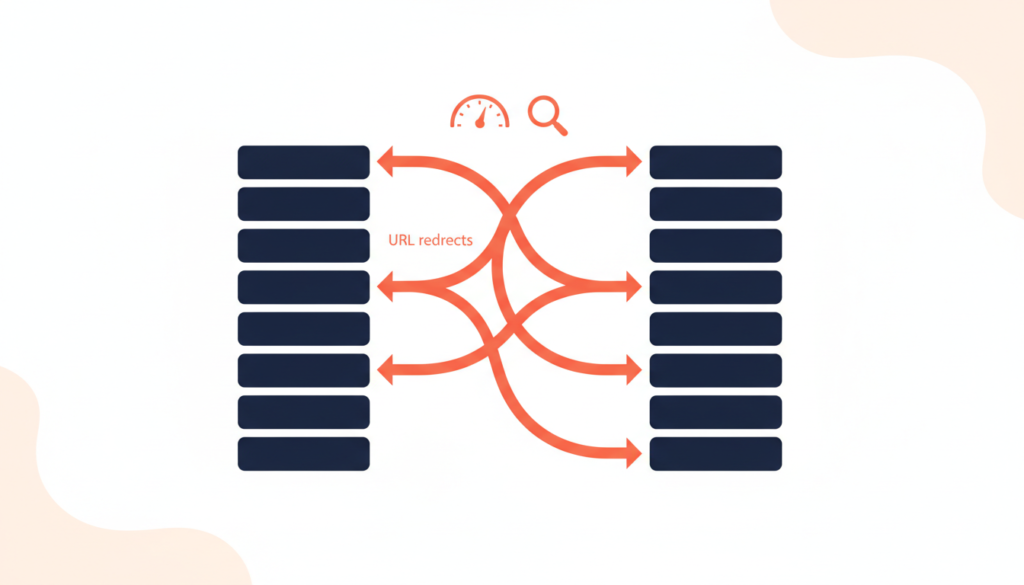
Build a URL redirect map
In your content inventory, add a column for the new URL of every old page. Google’s guide to moving a site with URL changes recommends permanent server-side redirects such as 301 or 308, says they do not cause a loss in PageRank, and advises keeping them for at least one year. Redirect each old page straight to its closest new match, not to the homepage, and avoid redirect chains.
Keep what already ranks
- Keep the same URL when a page already ranks well and the topic has not changed.
- Carry over page titles, meta descriptions, headings and the main body text of your best pages, then improve them.
- Keep image alt text, schema markup (local business, reviews, FAQs) and internal links.
- Update your XML sitemap and submit it in Google Search Console after launch.
Google also notes that rankings can fluctuate for a few weeks or more after a move on a medium-sized site, so a short dip is normal. A long drop usually points to missing redirects or removed content.
Phase 3: Design and Build for Conversions
A redesign should make it easier for a visitor to become a customer. Design every page around one clear next step.
Mobile-first layout and clear calls to action
Design the phone version first, then scale up. Put your main call to action, such as “Book Now” or “Get a Free Quote,” near the top, and make phone numbers tap-to-call. Our guide to building a high-converting business website covers layouts, trust signals and forms in more detail.
Speed targets from day one
Set performance goals before the build, not after. Google’s Core Web Vitals thresholds define “good” as a Largest Contentful Paint of 2.5 seconds or less, Interaction to Next Paint of 200 milliseconds or less and Cumulative Layout Shift of 0.1 or less, measured at the 75th percentile of page views. Compressed images, fewer plugins and good hosting make the biggest difference. See our tips on building a fast-loading website.
Accessibility and trust
Use readable font sizes, strong color contrast, descriptive alt text and forms that work with a keyboard. The W3C’s WCAG guidelines are the standard reference. Add real reviews, clear pricing or starting prices, your service area and an easy way to contact you.
Smart features that save time
A redesign is a good moment to add online booking, a quote form that sends leads straight to your CRM, or an AI chat assistant that answers common questions after hours. If you are considering one, our AI chatbot cost guide shows typical budgets.
Phase 4: Pre-Launch Testing and Launch Day
Build the new site on a staging copy, not on your live site. Before launch, work through this checklist:
- Test every form, booking widget and checkout on iPhone, Android and desktop, and confirm the emails arrive.
- Click every menu link, button and footer link.
- Check spelling, phone numbers, addresses and opening hours on every page.
- Run a speed test on the homepage and your top three money pages.
- Confirm analytics and conversion tracking fire on the new site.
- Remove any “noindex” setting that was used on staging.
- Upload and test all 301 redirects from your redirect map.
- Launch early in the week at a quiet time, never right before a holiday or a big promotion.
After Launch: The First 90 Days
Launch is the halfway point, not the finish line. In the first week, submit the new sitemap and watch Search Console for 404 errors, then fix them with redirects. Each month after that, compare traffic, rankings for your main keywords and leads against the numbers you saved in Phase 1.
Ask a few customers to use the site and tell you where they got stuck. Small changes, such as moving a button or shortening a form, often have more effect than the original design.
How Much Does a Small Business Website Redesign Cost?
Prices depend on the number of pages, custom design work, integrations and who does the job. The table shows typical ranges for US small businesses, not fixed quotes.
| Redesign type | Good fit for | Typical cost | Typical timeline |
|---|---|---|---|
| Refresh on the same theme | New content, photos and homepage layout | $500–$3,000 | 1–3 weeks |
| Standard redesign (WordPress or Shopify, 5–15 pages) | Most local service businesses | $3,000–$10,000 | 4–8 weeks |
| Custom design with integrations | Booking, CRM, e-commerce or AI features | $10,000–$30,000+ | 2–4 months |
Also budget for hosting, premium plugins or apps, and ongoing maintenance. A cheaper quote that skips redirects, testing or speed work often costs more later.
Common Website Redesign Mistakes to Avoid
- Designing for yourself instead of customers. Your visitors want answers, prices and a way to book, not a long animation.
- Deleting content that ranks. Short, stylish pages can lose the detail that helped Google understand your services.
- Forgetting redirects. Old links from Google, directories and social posts then lead to error pages.
- Adding too many plugins or heavy page-builder effects that slow the site down.
- No owner for the site after launch. Decide who updates content, plugins and backups every month.
Key Takeaways
- Follow four phases: audit and plan, protect SEO, design for conversions, then test, launch and monitor.
- Save your analytics and list your money pages before anything changes.
- Map every old URL to a new one with 301 redirects and keep them for at least a year.
- Aim for Google’s “good” Core Web Vitals: LCP 2.5 s, INP 200 ms, CLS 0.1.
- Typical US small business redesign: $500–$3,000 for a refresh, $3,000–$10,000 for a standard redesign, $10,000–$30,000+ for custom builds.
Frequently Asked Questions
How often should a small business redesign its website?
Many small businesses do a full redesign every few years, but there is no fixed rule. Redesign when the site is slow, hard to use on mobile, hard to update or no longer brings in leads. Small improvements in between are usually better than waiting for one big project.
Will a website redesign hurt my SEO?
It can if URLs change without redirects or ranking content is removed. With a URL map, 301 redirects, the same or better content and a new sitemap, rankings usually recover after a short period of normal fluctuation.
How long does a website redesign take?
Typical timelines are 1–3 weeks for a refresh, 4–8 weeks for a standard small business redesign and 2–4 months for a custom site with integrations. Delays usually come from content and photos, so prepare them early.
Should I redesign or rebuild my website from scratch?
If the platform works and you can update it easily, a redesign on the same platform is cheaper. Rebuild when the theme is outdated, the code is messy or you need features the current setup cannot support.
What should I prepare before hiring a web designer?
Prepare your goals, logins for domain and hosting, analytics access, a list of your most important pages, brand files, photos and examples of websites you like. This makes quotes more accurate and the project faster.
Planning a Website Redesign?
AK Softs Digital redesigns websites, builds mobile apps and sets up AI automations for small businesses, with 150+ Fiverr reviews, a 4.9 rating and experience working with teams in the UAE and France. Contact us for a free consultation and we will review your current site and map out a redesign that protects your rankings.