n8n Automation Examples for Small Business: 10 Workflows

The most useful n8n automation examples for small business are the boring ones that save hours every week: sending website leads straight to your CRM with an instant alert, turning booking forms into calendar events with reminders, drafting replies to routine emails with AI, chasing unpaid invoices and building a weekly report automatically. A sensible start is one or two of these, and a typical professional build costs about $600–$2,500 one time, depending on how many workflows you need.
If you run a small business in the USA, you already know where the time goes: copying form entries into a spreadsheet, texting customers to confirm appointments, reminding people to pay, and pulling numbers together on Friday afternoon. n8n is a workflow automation tool that connects the apps you already use so that this work happens on its own.
Below are 10 practical n8n workflow examples, grouped by what they help with, plus what each one usually costs to build, how to pick your first workflow and the mistakes to avoid. Every example uses common tools such as website forms, Google Workspace, a CRM, an accounting app and email or SMS.
In this guide
- Why n8n Fits Small Business Automation
- n8n Automation Examples for Small Business: Leads and Sales
- Booking and Customer Service Workflows
- Back-Office and Reporting Workflows
- What These n8n Workflows Cost to Build
- How to Pick Your First Workflow: Step-by-Step
- Common Mistakes to Avoid
- Frequently Asked Questions
Why n8n Fits Small Business Automation
Every n8n workflow has the same shape: a trigger (a new form entry, a new email, a paid invoice, a set time each week) followed by a chain of steps that move or change data. Steps can call almost any app with an API, add an AI step to read or write text, and branch based on rules.
The pricing model is what makes n8n attractive for busy workflows. According to n8n’s pricing page, an execution is a single run of your entire workflow, and it does not matter how many steps are in it. The cloud Starter plan is listed at €20 a month (billed annually) with 2,500 executions, and Pro at €50 a month (billed annually) with 10,000 executions. n8n explains in its post on execution-based pricing that most other tools charge per step or task instead.
You can also self-host n8n on your own server. The n8n documentation notes that self-hosting requires technical expertise for installation and configuration, and that maintenance is your responsibility. That is why some owners hire an n8n automation agency to build, host and monitor the workflows instead of learning the platform from scratch. If you are still choosing a tool, our n8n vs Zapier comparison covers that decision in detail.
n8n Automation Examples for Small Business: Leads and Sales
Lead workflows are often the best place to start, because a faster reply can decide who wins the job. These three work for almost any service business, from cleaning and HVAC to dental, real estate and agencies.
1. Website lead to CRM with an instant alert
Trigger: a new quote or contact form entry. Steps: clean up the phone number and name, check for duplicates, create or update the contact in your CRM, then send the owner or sales rep an email, Slack or SMS alert with the key details. Nothing gets lost in an inbox, and you can call the lead back within minutes.
2. Automatic follow-up when a lead goes quiet
Trigger: a lead reaches “quote sent” in your CRM. Steps: wait two days, check whether the status has changed, and if not, send a friendly follow-up email. After another few days, create a task for a real person to call. The workflow stops the moment the lead replies or books.
3. AI lead summary and tagging
Trigger: a new lead with a free-text message. Steps: an AI step reads the message, writes a one-line summary, tags the job type (for example “deep clean” or “AC repair”) and flags urgent requests. The tags then route the lead to the right person. Practical tip: keep the AI’s job narrow and give it a fixed list of tags to choose from, so the output stays predictable.
Need help with this? AK Softs Digital builds websites, mobile apps and AI automation for small businesses in the USA, UK, UAE and Australia. Message us on WhatsApp or get a free quote in 24 hours.
Booking and Customer Service Workflows
These workflows cut down phone tag and no-shows, and they keep customers informed without anyone typing the same message all day.
4. Booking form to calendar with reminders
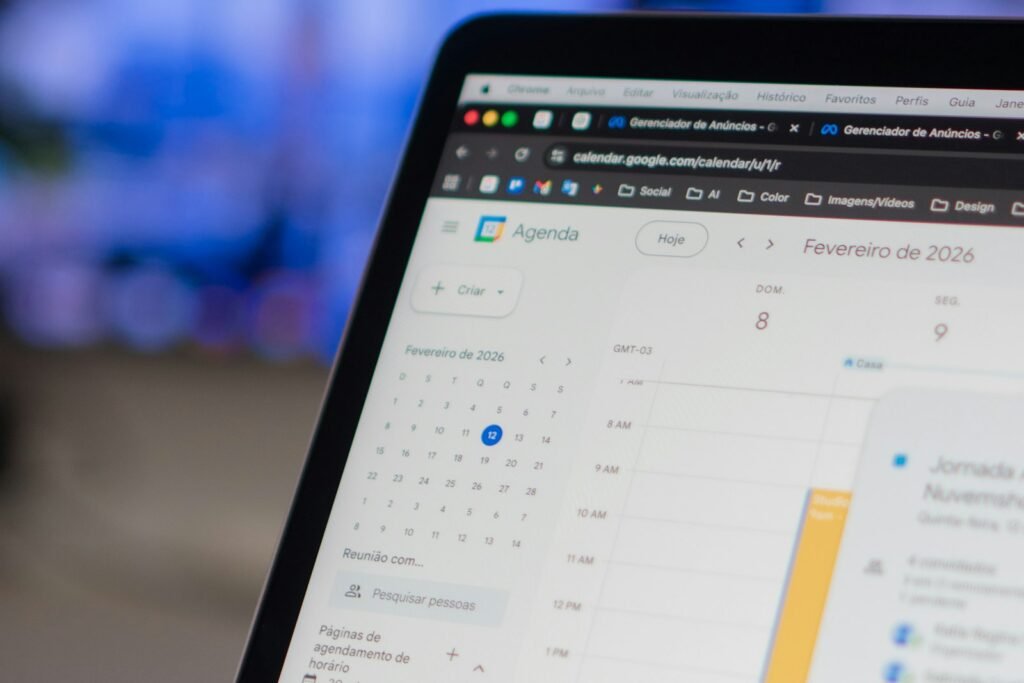
Trigger: a booking request from your website. Steps: check the calendar for a free slot, create the event, send the customer a confirmation, then send reminders the day before and a few hours before. If you want the details on timing and message wording, see our guide to automated appointment reminders; the workflow logic is the same for USA businesses.
5. Missed-call text-back
Trigger: your phone system reports a missed call through a webhook. Steps: send the caller a short text with a booking link, log the call in the CRM and alert the team. Before you switch this on, make sure your messages follow the consent and opt-out rules that apply to business texting, and check them with your phone provider.
6. AI email triage with reply drafts
Trigger: a new email in your shared inbox. Steps: an AI step sorts it (new inquiry, existing customer, invoice, spam), drafts a reply for routine questions and saves it as a draft for a person to approve. Keeping a human in the loop is the safe default for anything customer-facing. If you want an AI assistant on your website as well, our AI chatbot cost guide explains the options.
7. Review request after the job is done
Trigger: a job is marked complete or an invoice is paid. Steps: wait a day, then send a thank-you message with a link to leave a review. Send it only once per customer and skip anyone who has an open complaint, so you are not asking an unhappy customer for a review.
Back-Office and Reporting Workflows
Back-office automations rarely get noticed by customers, but they remove the repetitive admin that keeps owners working late.
8. Invoice sync and overdue payment reminders
Trigger: a new invoice or payment in your billing tool. Steps: sync it to your accounting software, post a short note in Slack when payment arrives, and send polite reminders at set points after the due date. Stop reminders automatically once the invoice is paid.
9. Weekly sales and operations report
Trigger: every Monday at 8 a.m. Steps: pull new leads, bookings, revenue and unpaid invoices from your apps, write them to a Google Sheet and email a short summary to the owner. An optional AI step can add two or three plain-English notes about what changed.
10. New client onboarding
Trigger: a proposal is signed or a deposit is paid. Steps: create a client folder, send a welcome email with next steps, add the client to your project tool and assign the first tasks. Every new client gets the same smooth start, even in your busiest week.
What These n8n Workflows Cost to Build
Cost depends on how many workflows you need, how many apps they touch, whether they include AI steps and who will host them. Typical mid-market ranges for USA small businesses look like this:
| Scope | Typical one-time cost | Typical timeline |
|---|---|---|
| 1–2 simple workflows (for example lead routing and alerts) | $600–$1,000 | About 1 week |
| Up to 6 workflows with AI steps and error monitoring | $1,400–$2,500 | 1–2 weeks |
| Multi-department automation with custom API integrations | $2,800–$6,000+ | 2–4+ weeks |
| Self-hosted n8n server (ongoing) | $10–$50 per month | Ongoing |
A quick math check on running costs: a lead workflow with six steps that runs 300 times a month uses 300 executions on n8n, not 1,800, because each full run counts once. Add a booking workflow with another 300 runs and you are still well inside the 2,500 executions of the Starter plan. To get a number for your own project, you can estimate your project cost in a couple of minutes.
How to Pick Your First Workflow: Step-by-Step
Use this checklist to choose the automation that will save the most time first:
- List your repeat tasks for one week. Write down every task you do more than five times, how long it takes and which apps it touches.
- Score each task. Multiply minutes per task by how often it happens. The highest score is usually your first workflow.
- Check your apps. Confirm each app has an n8n node or an API. Most modern CRMs, calendars, accounting and email tools do.
- Write the rules in plain English. “When a form comes in, add it to the CRM, then text me” is enough to start.
- Decide who owns it. Someone needs to watch for failed runs and update the workflow when your process changes.
- Build, test with real data, then switch it on. Run it alongside your old process for a week before you rely on it.
- Measure and expand. Once the first workflow is stable, add the next one on your list.
Common Mistakes to Avoid
- Automating a messy process. If the manual steps are unclear, the automation will be too. Fix the process first.
- No error alerts. A silent failure can drop leads for days. Always add a failure notification.
- Letting AI send messages unchecked. Start with drafts that a person approves, then relax that only for low-risk replies.
- Storing passwords in the workflow. Use n8n’s credentials feature and give each app the smallest access it needs.
- Building ten workflows at once. Start with one or two, prove the time savings, then grow.
If you would rather plan automation across your whole business, including chatbots, AI receptionists and custom integrations, take a look at our AI automation services.
Key Takeaways
- The best first n8n workflows for small business handle leads, bookings, email, invoices and reports.
- n8n counts one execution per full workflow run, no matter how many steps it has.
- Cloud plans are listed from €20 a month (billed annually) for 2,500 executions; self-hosting needs technical skills.
- A typical professional build costs about $600–$2,500 for one to six workflows, and $2,800–$6,000+ for multi-department automation.
- Start with the task that wastes the most time, add error alerts and keep a human in the loop for AI replies.
Frequently Asked Questions
What can n8n automate for a small business?
n8n can automate most repetitive tasks that move data between apps: lead capture, CRM updates, booking confirmations and reminders, email sorting, invoice reminders, review requests, onboarding and weekly reports. If an app has an API, n8n can usually connect to it.
Is n8n good for non-technical business owners?
It has a visual builder, so simple workflows are possible without code. More complex workflows, AI steps and self-hosting are easier with technical help. A common approach is to have an expert build and document the workflows, then make small changes yourself.
How much does it cost to set up n8n automation?
Typical professional builds range from about $600–$1,000 for one or two simple workflows to $1,400–$2,500 for up to six workflows with AI steps, and $2,800–$6,000+ for multi-department automation. Hosting, n8n Cloud, AI usage and SMS fees are extra. These are typical ranges, not fixed quotes.
Can n8n use AI in a workflow?
Yes. A workflow can include AI steps that summarize messages, tag leads, draft email replies or write report notes. For customer-facing messages, it is safest to save AI output as a draft for a person to approve at first.
Should I use n8n Cloud or self-host it?
n8n Cloud is fully managed, so there is no server to maintain. Self-hosting gives you more control over where data is processed, but n8n’s documentation notes that it needs technical expertise and that maintenance is your responsibility. If nobody on your team will look after a server, Cloud or a managed setup is usually simpler.
Ready to Automate Your First Workflow?
AK Softs Digital builds websites, apps and AI automations for small businesses, with 175+ client reviews, a 4.9 rating and experience working with teams in the UAE and France. Through our n8n workflow automation service, we can review your manual tasks and suggest the first workflows worth building. Book a free consultation to get started.

Anees Dilawar
Founder & CEO of AK Softs Digital. MS Computer Science, 10+ years teaching and building software, and 6+ years delivering WordPress, Flutter and AI automation projects for clients in the USA, UK, UAE and Australia.
AI Automation
Get a clear plan and a fixed quote in one call
Want this automated for your business? We build n8n, MCP and AI receptionist workflows that save hours every week.