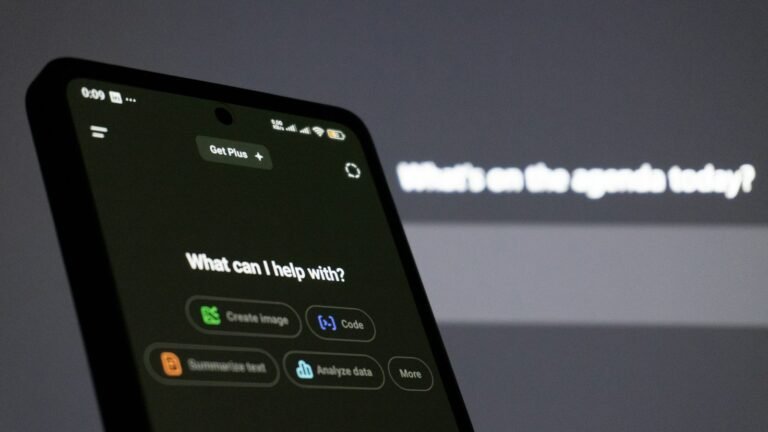
Google AI Calling My Business: What to Do (2026 USA Guide)

Yes, Google AI calling my business is a real thing. Since July 2025, Google Search users in the USA can tap “Have AI check pricing”, and an automated Google caller phones local businesses for prices and availability. The right response: answer, give a clear price range, state when you can do the job, and offer a booking.
We build AI receptionists and booking automations for home-service businesses, so we follow this topic closely. Plumbers, cleaners and HVAC owners are asking the same question in forums and groups right now. Most of them heard a polite automated voice ask for a price, assumed it was spam and hung up.
That is the most expensive thing you can do, because the searcher only sees “no answer” next to your name. Below: how to spot a fake, a 60-second script, a Business Profile checklist and a decision table on who should answer.
In this guide
- Why Is Google AI Calling My Business?
- Real Google AI Call or Scam? 5 Checks
- What It Costs to Miss or Dodge the Call
- What to Say When Google AI Calls: 60-Second Script
- Who Should Answer: Human, AI Receptionist or Hybrid?
- Google Business Profile Tidy-Up Checklist
- Should You Opt Out of Google AI Calls?
- Frequently Asked Questions
Why Is Google AI Calling My Business?
Google began testing this in January 2025 as a Search Labs experiment called “Ask for Me”, first for auto shops and nail salons. On 16 July 2025, Google rolled the feature out to all Search users in the USA, with higher limits for AI Pro and AI Ultra subscribers.
A searcher types “pet groomers near me”, taps “Have AI check pricing” and answers a few questions. Then Google’s AI phones nearby businesses.
The searcher then receives a summary comparing prices and availability across the businesses that answered. Google’s Business Profile help page lists three uses for these automated calls: booking appointments, checking restaurant wait times, and confirming price and availability. The same page says the calls are recorded, repeat calls for the same information are limited, and late-night or early-morning calls are avoided.
Home services joined later. In July 2026, trade publication Field Service Daily reported that home-repair searches now show the AI calling option across the USA, following a preview at Google I/O in May. One geographic note from Google’s help page: the feature is not available in Indiana, Louisiana, Minnesota, Montana or Nebraska.
Real Google AI Call or Scam? 5 Checks
Fake “Google” calls have targeted small businesses for years, so your suspicion is healthy. However, the real AI caller behaves very differently from a scammer. A Google spokesperson told TechCrunch that every call opens by announcing it is an automated system calling from Google on behalf of a user.
- It introduces itself as AI from Google acting for a customer. Scam calls claim to be “Google” itself, usually about your listing being removed.
- It asks about a specific job. For example: “How much is a drain cleaning for a single-family home this week?”
- It never asks for money or access. No login, no verification code, no card number, no payment.
- It accepts a range. “Usually $150 to $250 depending on access” is a complete answer. Scammers push for commitments and urgency.
- It does not call back five times. Google says it limits calls for the same information. Repeated calls about “your Google listing” are not Google’s AI.
If a caller claiming to be Google asks for money, codes or account access, hang up. Then treat the real AI caller as what it is: a customer standing behind a very polite assistant.
Need help with this? AK Softs Digital builds websites, mobile apps and AI automation for small businesses in the USA, UK, UAE and Australia. Message us on WhatsApp or get a free quote in 24 hours.
What It Costs to Miss or Dodge the Call
Call-tracking company Invoca analyzed Google AI pricing calls on its platform from the July 2025 launch through November 2025. On average, 26% of those calls went unanswered. Of the calls a person or AI agent did answer, 49% ended with no price given.
The worst results came from home-service businesses such as pest control and plumbing. Staff told the AI they do not quote over the phone and need a site visit. The customer’s summary then reads “would not provide pricing” next to a competitor’s “$250 to $450”.
Volume is small but growing fast. Invoca found these calls were still under 1% of calls to eligible businesses, yet monthly volume rose 324% from October to November 2025. Plumbing pricing calls alone grew more than 650% in November.
Think of it as a new kind of missed call. A human caller might leave a voicemail and try again. The AI caller simply reports “no answer”, and the customer books someone else.
This is exactly the gap an AI receptionist built for your business closes. It picks up every time, quotes the ranges you approved and offers a slot.

What to Say When Google AI Calls: 60-Second Script
The AI is collecting four things: the service, a price, availability and a next step. Give all four in under a minute and you are done. Here is the script we train front-desk staff and AI receptionists to follow, using a cleaning company called Sparkle Cleaning as the example.
- Confirm the service. “Yes, we do deep cleans for homes in the Austin area.”
- Give a range and what moves it. “A deep clean is usually $250 to $450. The exact price depends on square footage and the number of bathrooms.”
- State availability. “We have openings Thursday afternoon and Saturday morning this week.”
- Offer a next step. “The customer can book at sparklecleaning.com/book, or call us back on 512-555-0142 and we will hold a slot.”
Notice what is missing: “it depends, we need to see it.” If you truly cannot quote without a visit, give the visit price and a typical range instead. For example: “Estimates are free. Most water heater replacements land between $1,800 and $3,200 installed.”
Three mistakes that get you dropped from the summary
- Hanging up on the robot. The customer only sees “no answer”.
- Refusing to give any number. A range always beats silence, because you are being compared with businesses that did answer.
- Giving a price with no next step. Always add a booking link or a callback number so the summary tells the customer how to hire you.
Who Should Answer: Human, AI Receptionist or Hybrid?
Google AI calling my business is only a problem if nobody is there to answer. Most home-service owners are on a roof, under a sink or driving between jobs when the phone rings. So the real decision is who, or what, picks up.
The table compares the three realistic options for a USA home-service business. The ranges match the typical prices in our AI receptionist cost guide.
| Option | Answers Google AI calls when | Gives approved price ranges? | Books the job? | Typical cost (USD) |
|---|---|---|---|---|
| Owner or office staff only | Business hours, when not on a job | Only if trained on a price sheet | Yes, by hand | Staff wages; no software cost |
| Off-the-shelf AI receptionist | 24/7, every call | Yes, from your knowledge base | Often only a booking link | $30–$300 per month |
| Custom AI receptionist | 24/7, every call, several at once | Yes, with rules for what moves the price | Yes, live into your calendar or CRM | $2,000–$15,000 setup + $100–$800 per month |
| Hybrid (staff by day, AI after hours and overflow) | 24/7 | Yes | Yes | Staff wages + $30–$800 per month |
For most owner-operators the hybrid option wins. Your team handles complex calls by day, and the AI picks up after hours and whenever everyone is busy. Cleaning crews, for example, miss calls while working inside clients’ homes, which is why we built a dedicated AI receptionist for cleaning companies.
To budget for your own setup, you can estimate your project cost in two minutes.
Setting up an AI receptionist to handle Google AI calls
An AI receptionist talking to Google’s AI sounds odd, but it works well when you prepare it. First, load a price sheet with a low and high figure for each service, plus the two or three factors that move the price. Then add a rule: when a caller asks on behalf of a customer, give the range, state the next two open slots and offer a booking link by text.
Finally, review the transcripts weekly for the first month and fix any vague answers.
Industry details matter too. An HVAC company needs emergency routing and seasonal pricing, which we cover in our AI receptionist for HVAC companies guide. Restaurants get wait-time questions instead of quotes, as explained in our AI phone answering for restaurants guide.
Google Business Profile Tidy-Up Checklist
By all accounts so far, Google’s AI picks the businesses to call from the local results shown for the searcher’s request. So a tidy profile decides whether you get the call at all. Work through this list in one sitting; it takes about an hour.
- A phone number that rings a person or an AI receptionist. A full voicemail box is the most common reason for “no answer”.
- Hours, including holiday hours. Google avoids late-night and early-morning calls, but wrong listed hours still mean the phone rings when nobody is in.
- Services listed one by one, with a “from” price where you can. For example, “Drain cleaning – from $149”.
- Service area set correctly. If you serve three counties, list all three so the right searches match you.
- A booking link. A working online booking page gives the AI a next step to pass on.
- Questions and answers filled in. Add your five most common price and availability questions with real answers.
- Recent reviews that mention the service and the city. Ask happy customers to say what you did and where.
Your website should match the profile. A clear “what it costs” page with the same ranges you quote on the phone keeps every channel consistent. It also gives AI agents something to read before they call.
If your site has no such page, our website development team can add a pricing section and a booking flow in a week or two.
Should You Opt Out of Google AI Calls?
You can. Google’s help page gives two ways. On the call, say “Please stop calling my business” or “Please remove my business from your list”.
Or, in a verified Business Profile, open More, then Business Profile settings, then Advanced settings. Under “Google automated calls and text messages”, turn off “Bookings and inquiries from customers”. After opting out you may still occasionally get manual calls from Google to confirm business details.
Should you, though? Opting out removes you from every comparison a nearby searcher requests, so competitors who answer get the lead. In our view, it only makes sense if you are booked out for months or never quote by phone for regulatory reasons.
Key Takeaways
- Google AI calling your business is real. Since July 2025 any Google Search user in the USA can have AI phone local businesses for prices and availability, and home services followed in 2026.
- The real call announces itself as an automated system from Google acting for a customer. It never asks for money, codes or logins.
- Invoca found 26% of these calls go unanswered and 49% of answered calls give no price. Both outcomes hand the job to a competitor.
- Answer in four steps: confirm the service, give a range and what moves it, state availability, offer a booking link or callback number.
- Hybrid coverage (staff by day, AI receptionist after hours and overflow) typically adds $30–$800 per month and catches every call.
- Opting out is possible in Business Profile settings, but it removes you from the comparison the customer sees.
Frequently Asked Questions
Why is Google AI calling my business?
A nearby person searched for your type of service on Google and chose “Have AI check pricing”. Google’s AI then phones businesses in the local results, including yours, to collect price and availability details. It is a real customer inquiry delivered by an automated caller.
Does it cost my business anything?
No. Google’s help page states that businesses and customers can use the feature at no charge. The only cost is the staff time to answer, or the AI receptionist you choose to have answer for you.
Pricing answers and stopping Google AI calling my business
Should I give prices to Google’s AI over the phone?
Yes, as a range. Say what the job usually costs and which two or three factors change the price. Invoca’s data shows about half of answered calls give no price, and those businesses appear as “would not provide pricing” in the customer’s summary.
Can I stop Google AI calling my business?
Yes. Say “Please stop calling my business” during the call, or turn off “Bookings and inquiries from customers” under Advanced settings in your verified Google Business Profile. Keep in mind that opted-out businesses do not appear in the price comparison the searcher receives.
Will Google AI call after hours?
Google says it avoids late-night and early-morning calls and limits repeat calls for the same information. However, calls can still arrive while your team is on a job. An AI receptionist or a hybrid setup makes sure those calls get your approved price ranges.
Be the Business That Answers
AK Softs Digital builds AI receptionists and AI automation for home-service businesses, so every Google AI call gets a price range, an open slot and a booking link. With 175+ client reviews and a 4.9 rating, we will tell you honestly whether a simple tool or a custom setup fits your call volume. Book a free consultation and we will map your price sheet and call flow together.

Anees Dilawar
Founder & CEO of AK Softs Digital. MS Computer Science, 10+ years teaching and building software, and 6+ years delivering WordPress, Flutter and AI automation projects for clients in the USA, UK, UAE and Australia.
AI Automation
Get a clear plan and a fixed quote in one call
Want this automated for your business? We build n8n, MCP and AI receptionist workflows that save hours every week.